Delete Account
Follow the steps below to permanently delete your Baby Cat Lua account and all associated data.
⚠️ Warning: Deleting your account is permanent and cannot be undone. Once confirmed, all your data will be permanently deleted from our Supabase database — including your player name, score history, and all game data.
1
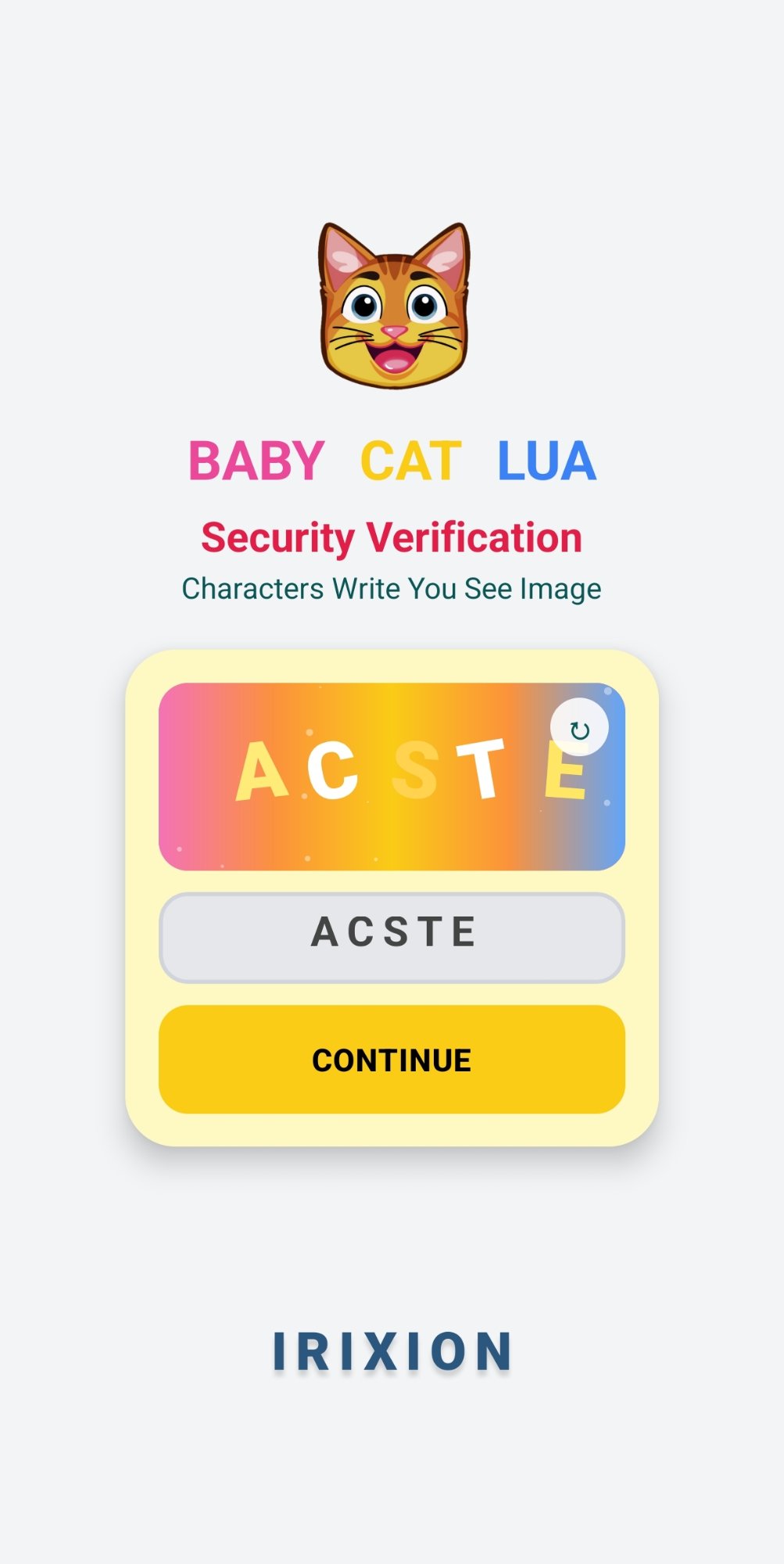
Open the App & Complete Captcha
Launch Baby Cat Lua and complete the captcha verification to proceed.
2
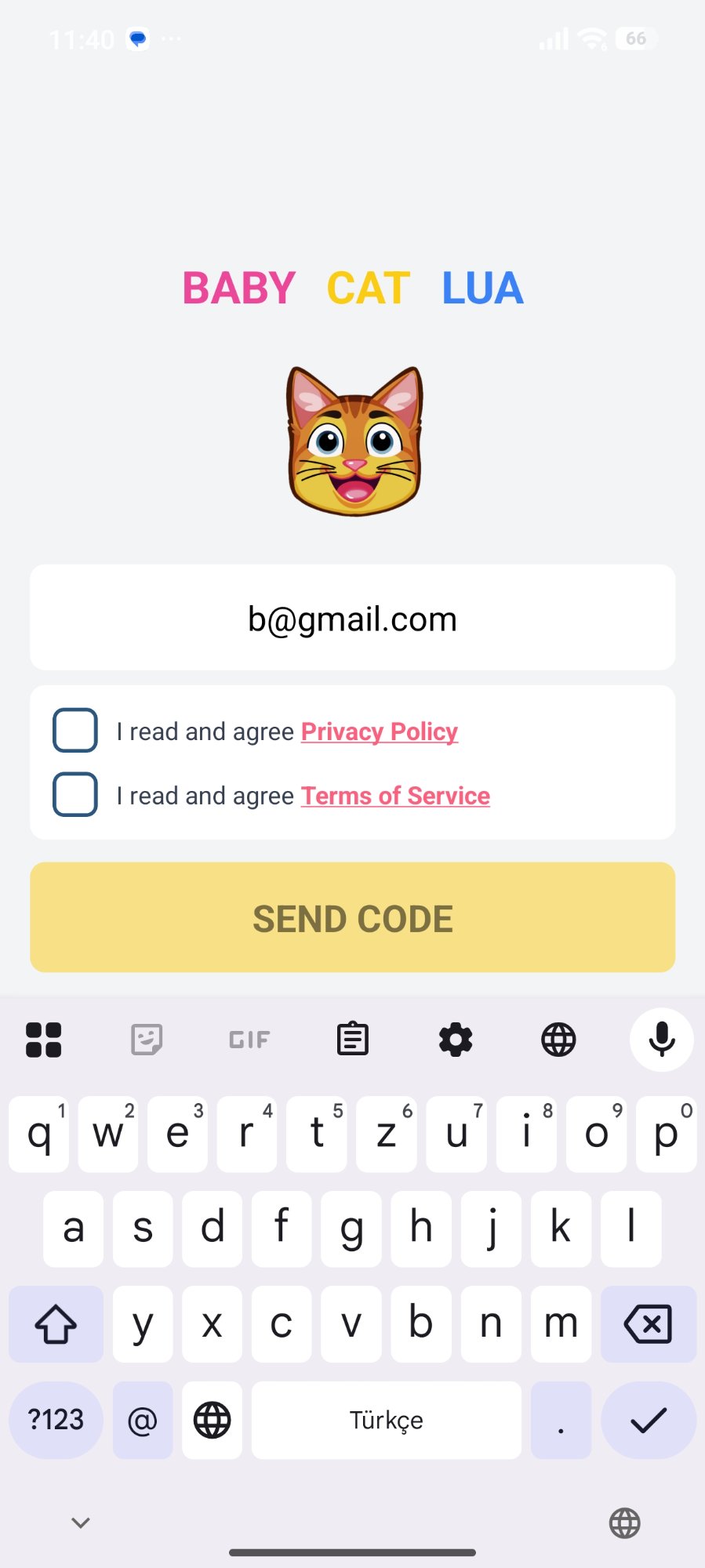
Log In to Your Account
Enter your registered email address and tap "Send Code".
3
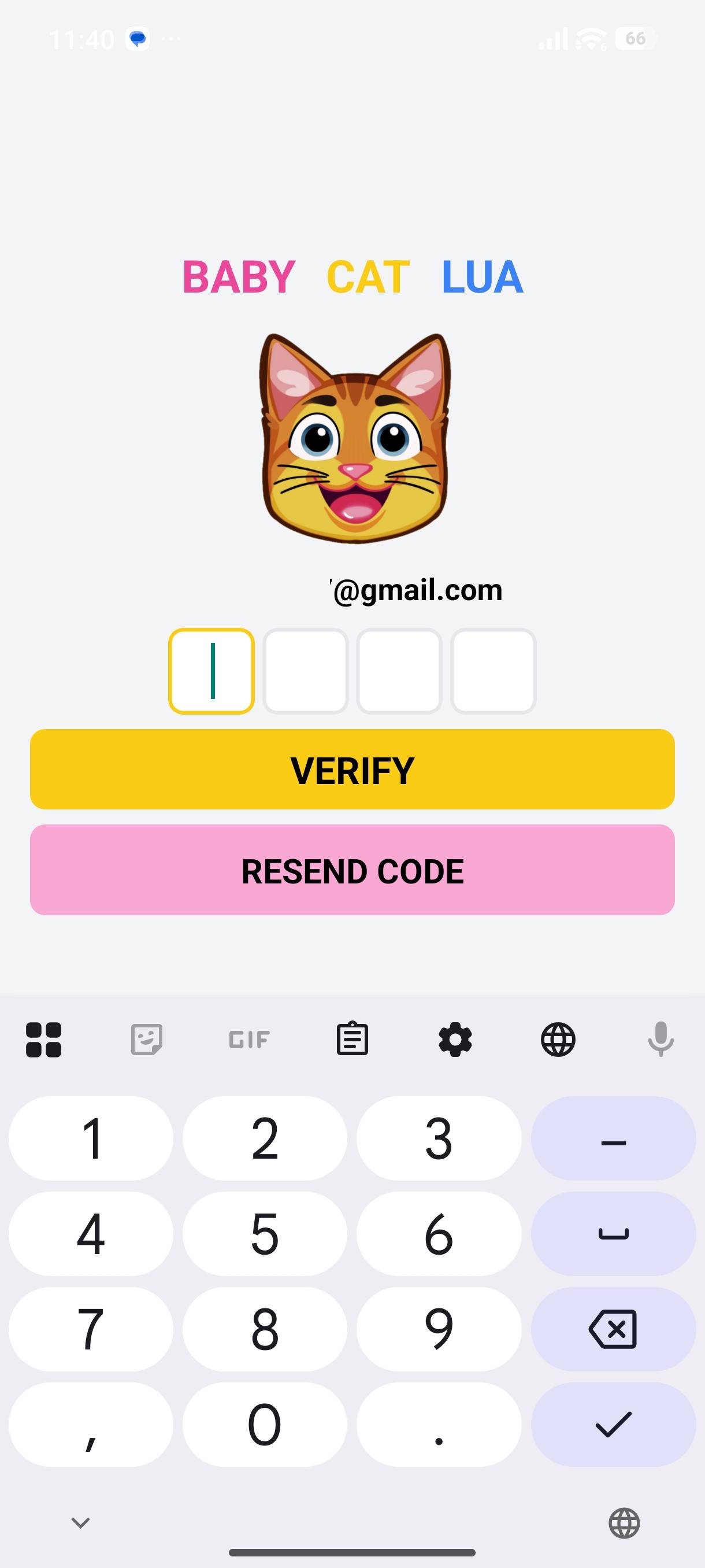
Enter Verification Code
Check your email and enter the 4-digit verification code.
4
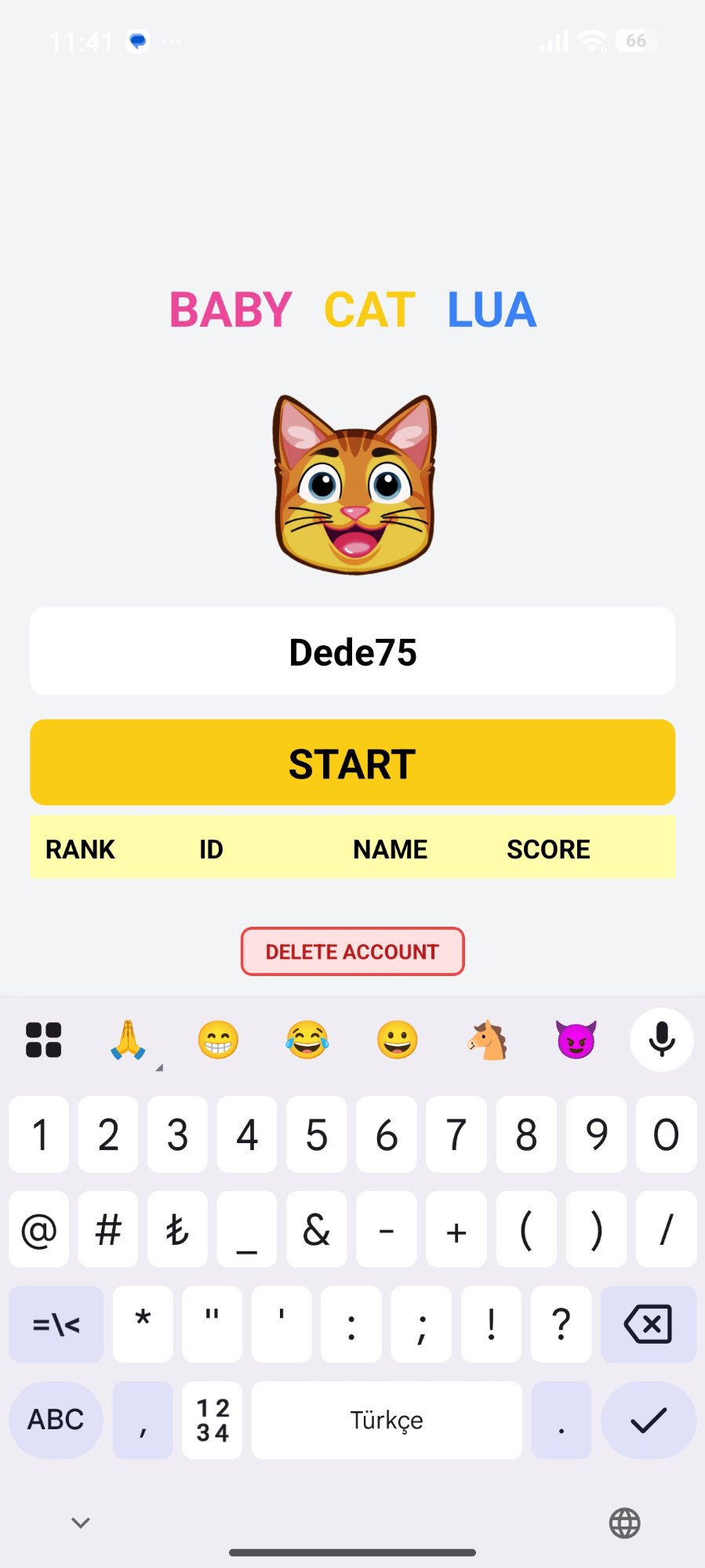
Find the Delete Option
Locate the "Delete Account" option in the game menu.
5
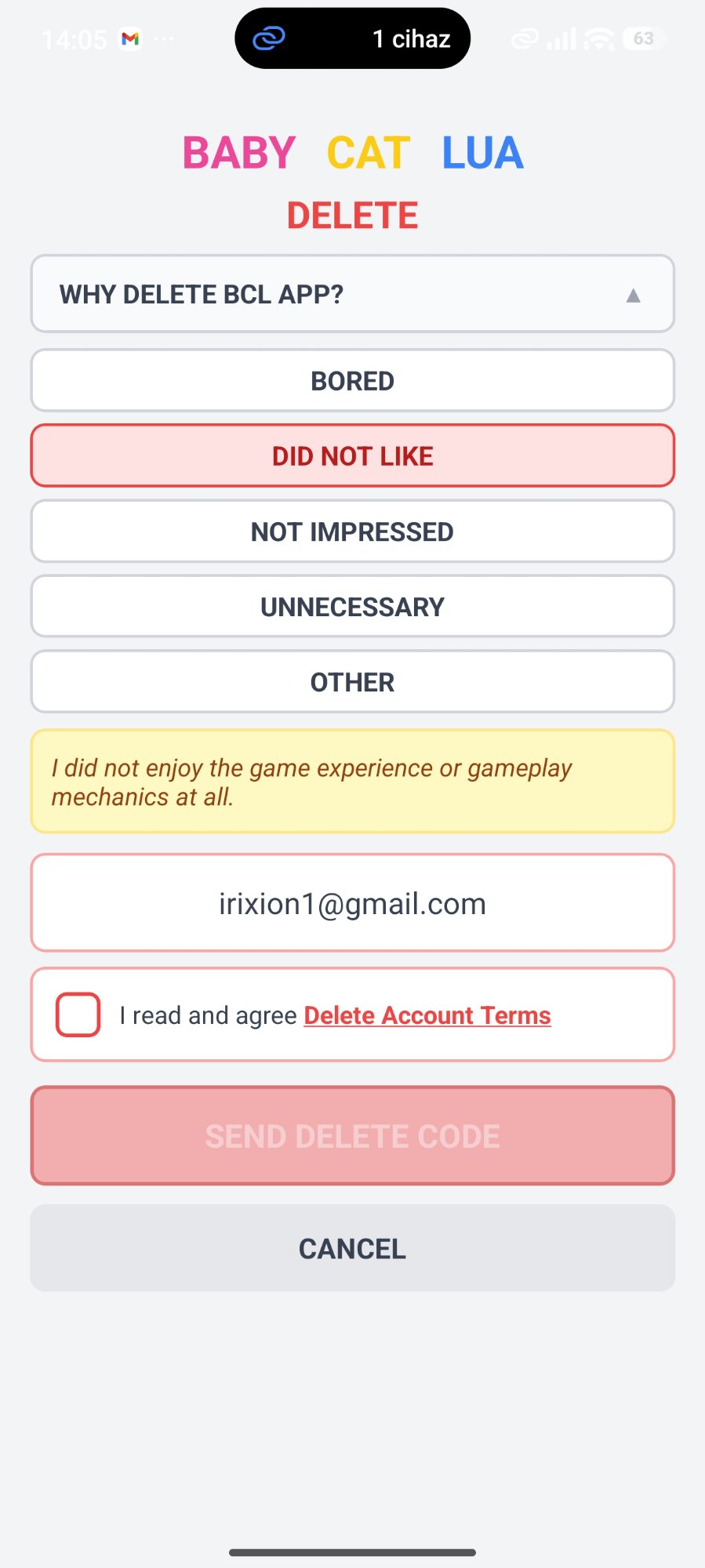
Request Account Deletion
Tap "Delete Account" and confirm your request.
6
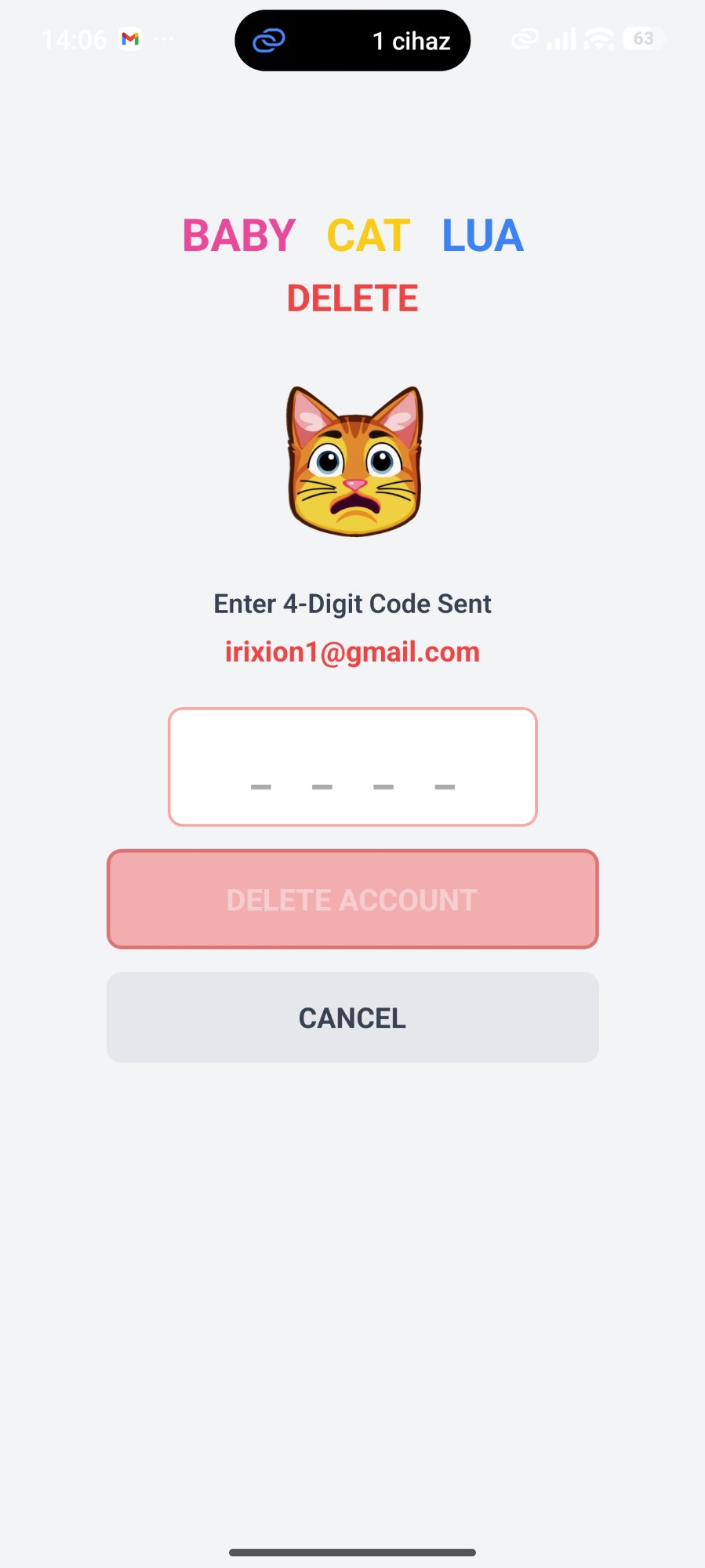
Verify Deletion
Enter the verification code sent to your email to confirm deletion.
7
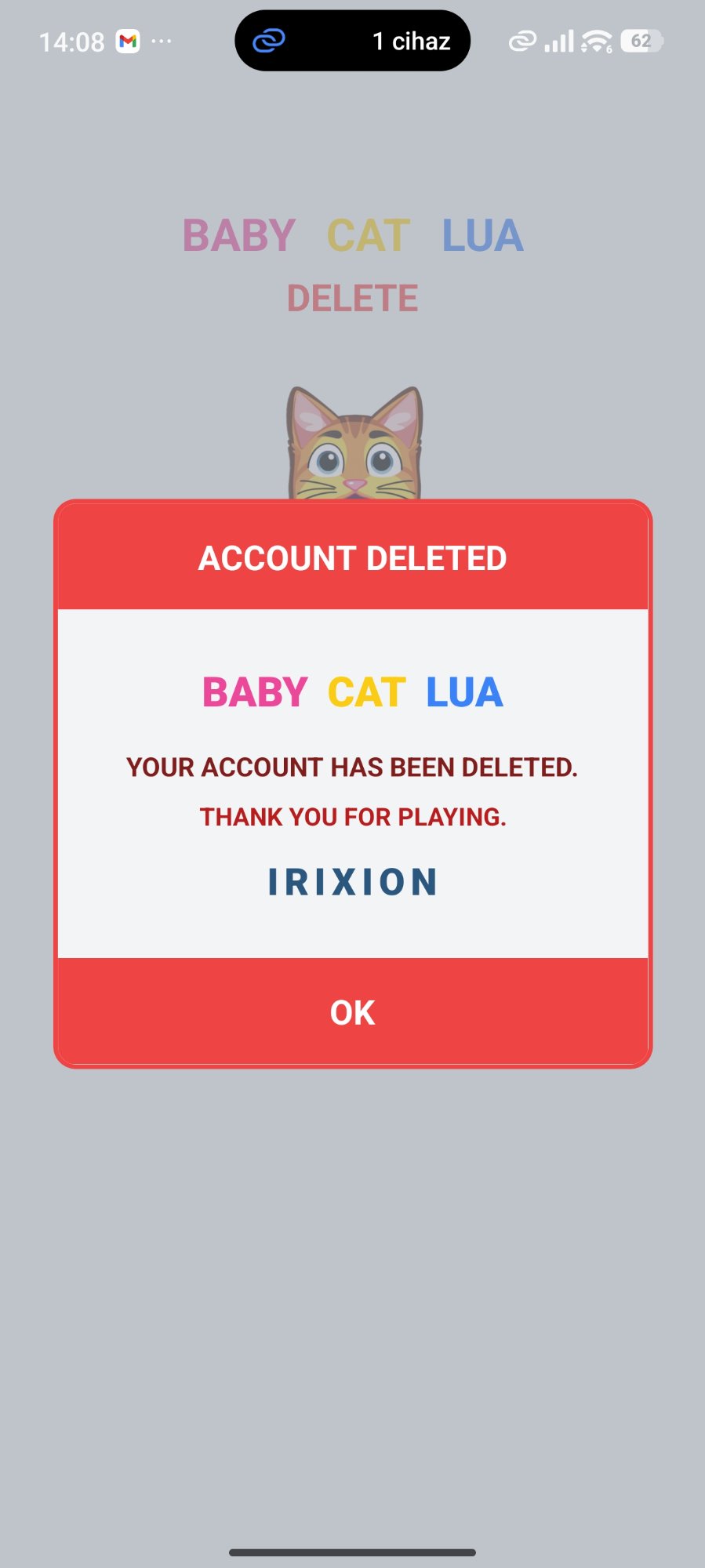
Account Deleted
Your account and all associated data have been permanently deleted from our Supabase database.
⚠️ Warning: Deleting your account is permanent and cannot be undone. Once confirmed, all your data will be permanently deleted from our Supabase database — including your player name, score history, and all game data.
Need help or have questions?
babycatlua.com/contact